Our "Spider Bytes" blog is an informal mix of whatever is on our minds. We write about all kinds of things, ranging from new product features for our customers to technical tips for other software developers.

Moving on up…

June 27th, 2008 by Scott

We’re moving across the street to a bigger office space, so update your address books! As of July 31st we’ll be at:

1701 Pennsylvania Ave NW
Suite 300
Washington, DC 20006

Best Places to Work

June 18th, 2008 by Scott

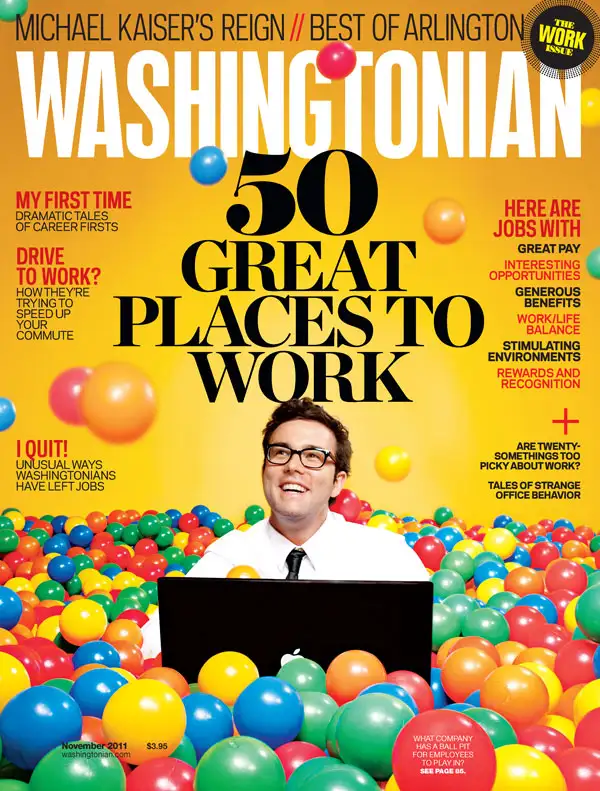
If you haven’t seen our home page, the Washington Business Journal recently just voted us one of the “Top 50 Best Places to Work.”  And there’s even better news.  At their awards breakfast last Friday they announced that we were #3 in the small business category.  I know I, personally, couldn’t agree more, but it’s nice to see that others agree!

Memorial Day Thoughts

May 26th, 2008 by Joe

I would like to send out some Memorial Day thoughts to all those that deserve them. I would first and foremost like to send my personal thanks out to all of the soldiers that have and still are protecting our way of life. There aren’t many professions that exist that are more selfless, yet necessary. As someone who has personally served in the armed forces, I do understand the sacrifices that you have and will continue to make and I would just like to say that there are many people that send their gratitude. I would also like to extend my prayers to those who are currently in harms way as well as their families. Today all of you are in our thoughts.

The Airport Test – or How to Ace that Interview

May 20th, 2008 by Elisa

Are you looking to take your career to the next step? Do you have the education and experience needed to land that dream job, but feel unsure about your interview skills? Here’s the secret you’ll need to ace that interview.

The fundamental approach I use when interviewing a candidate, and one that has never failed me, is what I call the Airport Test. Basically, it goes like this – Picture yourself stuck in the airport, sitting at the gate, waiting for your flight that’s delayed, probably for hours. You grab your Blackberry and return a few emails, make a few calls, trying to make good use of the downtime. But there’s only so much you can do, and besides, the woman sitting next to you wants to talk.

You’ll probably have about five or ten minutes to decide if she’s going to pass the Airport Test. That is, will the next few hours be sheer torture listening to her drone on as you search for the nearest exit or will the chatty woman sitting next to you be a surprisingly pleasant temporary companion? Whatever the case, the Airport Test has begun.

I use the Airport Test scenario when conducting interviews, and the candidates who are aware of this dynamic are going to be the ones who stand out. Keep in mind, I typically interview half a dozen applicants a day when I’m looking to fill a slot, and I can do that for two to three days in a row. And, remember, every one of these applicants is clearly qualified for the job. Otherwise, I wouldn’t have bothered scheduling them for an interview.

Before we get on to the Airport Test itself, a quick review of what you should know – as opposed to what you were taught - is in order. So, before you run out to update your interview wardrobe, consider this - I don’t care if you wear a new power suit, as long as you are dressed appropriately. A memorable red scarf or a lovely broach is not going to help me remember you either. And yes, a handwritten thank you sent the next day will let me know that you are well mannered. But none of these things will help you pass the Airport Test and ace that interview.

It’s really not that hard to pass the Airport Test. You just need to know what you’re being graded on.

  • First, you’ve got to be more than what’s on your resume. Think about it - if we’re stuck in the airport and all you’re talking about is your job, I’ll quickly be looking for the exit. Instead, give me a great reason to remember you. Here’s an example: I once interviewed a wonderful, highly qualified applicant for an IT position. He managed, to his credit, to throw in a story about being a licensed pilot. Remember, my whole day was spent interviewing highly qualified applicants. But rather than being just another one of them, this guy was the applicant who knew how to fly a plane. Pretty cool and kind of memorable, right? He got the job. You don’t have to know how to fly a plane, but there’s got to be something that you can casually mention about yourself that qualifies as pretty cool and kind of memorable.
  • Second, don’t take yourself too seriously. If you come across as uber-serious while we are stuck in the airport, I’ll likely dismiss you as humorless and dour. Remember, the DC area is filled with people who take themselves too seriously. Instead, be the applicant with the funny, slightly self-deprecating story. An applicant once told me a story about how he tore his pants on the way to an interview. I asked him what he did when he’d realized. He smiled and said he went to the interview anyway. I asked him how the interview went, and he said that he’d let me know in about a half hour. We both laughed as he stood up, lifted his suit jacket and showed me the tear in his pants. And, about a half hour later, we both agreed that the interview had gone quite well.
  • Next, don’t monopolize the conversation. Yes, I want to hear about you, that’s why we’re here. But if we were both stuck in the airport and you never once asked a real, thoughtful question about me – and clearly listened to my answer – then it wouldn’t take me long to grow tired of you. The easiest opportunity is when I ask if you have any questions. Instead of saying “no” or maybe asking me the standard canned questions about the company that you could’ve answered by reading our website, try asking me how long I’ve been with the company, what I like best about my job, or if I still see myself with the company in five years. Trust me, I’ll remember you as the applicant who knew how to ask some good questions.
  • Finally, look for ways to establish rapport. Imagine being stuck in the airport and realizing that the person waiting next to you went to the same high school you did. Instant rapport. Do a Google search with the name of the person who’ll be interviewing you, and see what you can find out. Maybe you’ll find out that they play on a local soccer team or act in community theater or are active in their homeowner’s association. Use this information to establish rapport. Some type of connection with the interviewer could be just the thing you need to stand out from the other applicants.

So, if you’ve got the education and experience you need to land that dream job, don’t stress about the interview. Just remember the four items I mentioned and you’re bound to ace the Airport Test.

All automated demos done (finally!)

April 7th, 2008 by Scott

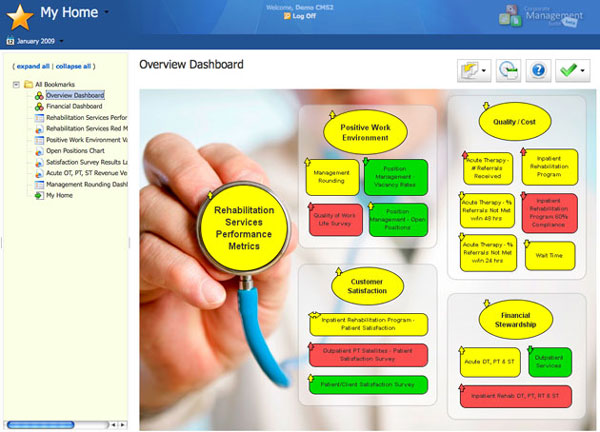
With the addition of the Scoreboard overview, I’m finally done with all of the automated demos.  I recomend checking them out - they give a pretty good informal overview of what the software is verizon lg ringtones motorola tracfone ringtones download free ringtones t mobile totally free ringtones download mosquito ringtones ringtones gratis free mobile ringtones download free cingular ringtones alltel free music ringtones free alltel music ringtones download free ringtones boost mobile 50 cent ringtones free ringtones software download free ringtones nokia free phone ringtones verizon celcom malaysia caller ringtones free t mobile ringtones for cell phone 3g for free ringtones blue tooth free ringtones cricket free phone ringtones all about.

New Reporting Demo

April 1st, 2008 by Scott

I’ve added a reporting automated demo to the products overview page. It’s a little long, but that’s because it covers a good chunk of the new reporting functionality. If you haven’t seen reporting in CMS yet, it’s a must-see.

New automated demos on website

March 27th, 2008 by Scott

For a little while now we’ve had an automated tour on our website that takes you through a quick overview of the CMS application.  Because it’s been so popular, we’ve decided to add more in-depth automated tours for each of the modules in CMS.

I just finished with the Strategy Maps demo, making it the fourth one available. You can check it out on our poducts page, but be sure to scroll down to the bottom of the page because I’m working from the bottom up.  Only three more to go!

Working From Home

February 14th, 2008 by Matt

Many employees at Spider Strategies primarily work from home, including myself. I love working from home and I am more productive at home than in an office environment. Still, there are times where my productivity isn’t video poquer lineaonline slotmaschineslotmaschinen online spielenslotmachine online spielenonline casino spielparty casino bonuscasinospiele mit echtem geldechtes casinocasino on net deroulette gratis downloadkasino comamerikanisches rouletteonline casino softwareslots spieleninternet kasinoglucks spiellotto am samstagonline casino pokerbest casino onlineblack jack online spielegratis casino spielenonline casino deutschwww rouletteblack jackhoyle casino games 2006play video poker online,video poker,online video poker spielenkasino roulettecasino im internetcasino online softwarebicycle casino gamesslots gamesonline roulette wiesbadenrealistisches online kasinoblackjack spieleblack jack online spielenjack black online spieleneigenes online casinorealistische online spielbankonline spiel kasinoslot machines spielencasino online gameswww casino netcasino club roulettekasino spielenroulette gewinneslotmachine spielenonline video poker spielencasino comglucksspiel onlineinternet casino,internet casino poker,internet casino niedersachsen quite where I would like it to be. Here are a couple articles I ran across with some good tips for staying productive while working from home.

And for a little comedic relief, here is how to not work from home.

IE6, HTTPS and MS Office

January 14th, 2008 by Matt

In CMS we have a software feature that allows users to export any screen in the application as an MS Office file (Word, Excel or PowerPoint). Recently we found out this feature didn’t work very well for some Internet Explorer 6 users, so we had to tweak our implementation a bit.

The basic technique we use to create MS Office files is to take our existing HTML screens and instruct the user’s PC to open the files in MS Office. In the past, we told the PC to open the file in MS Office by setting the MIME type for the appropriate file type (e.g. application/ms-word for Microsoft Word). We found a technique that works better with IE6, HTTPS and MS Office is to set the Content-Type to application/x-download and set the Content-Disposition to “attachment; filename=(filename here)”.

We learned of this technique by reading this article from ONJava. The article is written assuming a Java programming environment, but setting HTTP headers isn’t really specific to Java, so the basic technique should be applicable to any web environment. If you’ve been wrestling with IE6, HTTPS and MS Office, I hope this article is of some help to you.

Eliminating Session Timeouts

December 10th, 2007 by Matt

This weekend, my mother told me about the trouble she had booking train tickets from Washington, DC to New York using Amtrak’s online reservation system. She had to make the reservation three times because the first two times she took too long and the website timed out. As I listened to my mother’s story, I felt proud because I knew she wouldn’t have had the same problem if Spider Strategies wrote Amtrak’s reservation system.

The problem my mother experienced is a common one for web applications. Most web applications operate using the notion of a session which is used to store information about the user that is logged on and the activities he or she is performing in the application. The trouble is that the session is periodically erased to save memory on the server. When the session is erased, the user’s work is lost. In my mother’s case, her reservation was erased.

In CMS, we avoid this problem by using dojo to fire off a request in the background every few minutes. These requests prevent a user’s session from expiring as long as that user keeps his or her browser open. If the user closes his or her browser, the session will still be cleaned up so that the server doesn’t fill up with old, unused sessions.

In addition to benefiting the usability of the application, this technique can also decrease the amount of memory devoted to sessions on the server. Typically a web application will have a session timeout of 30 to 60 minutes. With this technique the timeout can be decreased to a smaller number (e.g. every 5 minutes) as long as background request are fired faster than sessions are expired (e.g. every 2 minutes). Faster session timeouts means sessions are in memory for less time means less total memory will be needed for sessions.

If you’re a software developer, I hope you find this technique useful and apply it to your application. If you’re a user of CMS, you can rest easy knowing this technique is already in place so that you don’t need to worry about losing your work.

Close
E-mail It